01 / NET WORTH
What do I have?
What you own, minus what you owe—from cash and investments to property and debt.
aMoneyKeel meets you where you are. Building wealth? See your progress and savings goals. Already retired? See your retirement paycheck, test decisions, and explore how long your money could last.
From the bills you pay today to the retirement you're planning for, aMoneyKeel helps you connect the dots.
What you own, minus what you owe—from cash and investments to property and debt.
Income, spending, bills and what's available to save.
Investment performance with contributions kept separate from gains.
Explore how your plans could hold up under different assumptions.
Your goals look different at 45 than they do at 70. aMoneyKeel is designed to put the questions that matter to you first, and help you explore your next step.
When you're earning and saving, your view emphasizes what's growing, what's protected, and what to save next.
After you retire, the focus shifts from accumulation to a monthly paycheck and choices that affect how long your money may last.
The app's onboarding adapts to your life stage and priorities. This website preview illustrates the experience; individual features may differ by beta build.
Use the arrows to view one phone screen at a time. Scroll inside a screen for details, or choose Enlarge for a closer look. These are illustrative product mockups; the beta interface may differ.
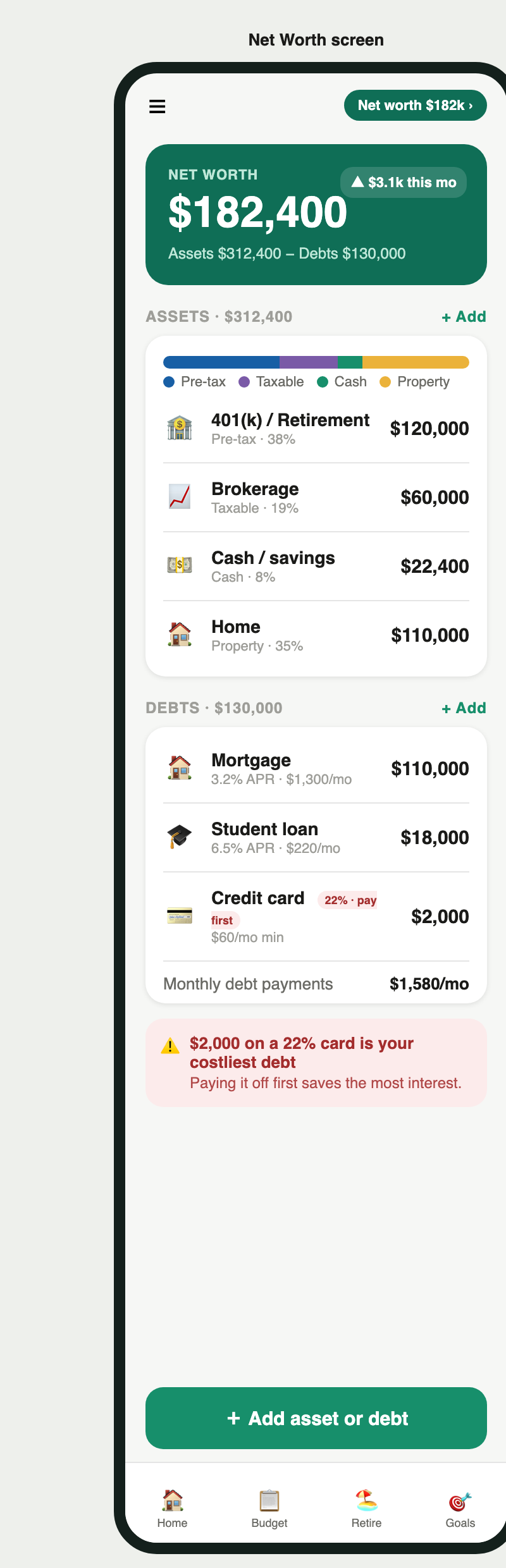
Your accounts don't all live in one place. aMoneyKeel brings your assets and debts into a clear picture so you know where you stand.
Scroll inside the screenshot to see the rest of the screen.
Follow money coming in and going out, and track investment holdings and performance over time.
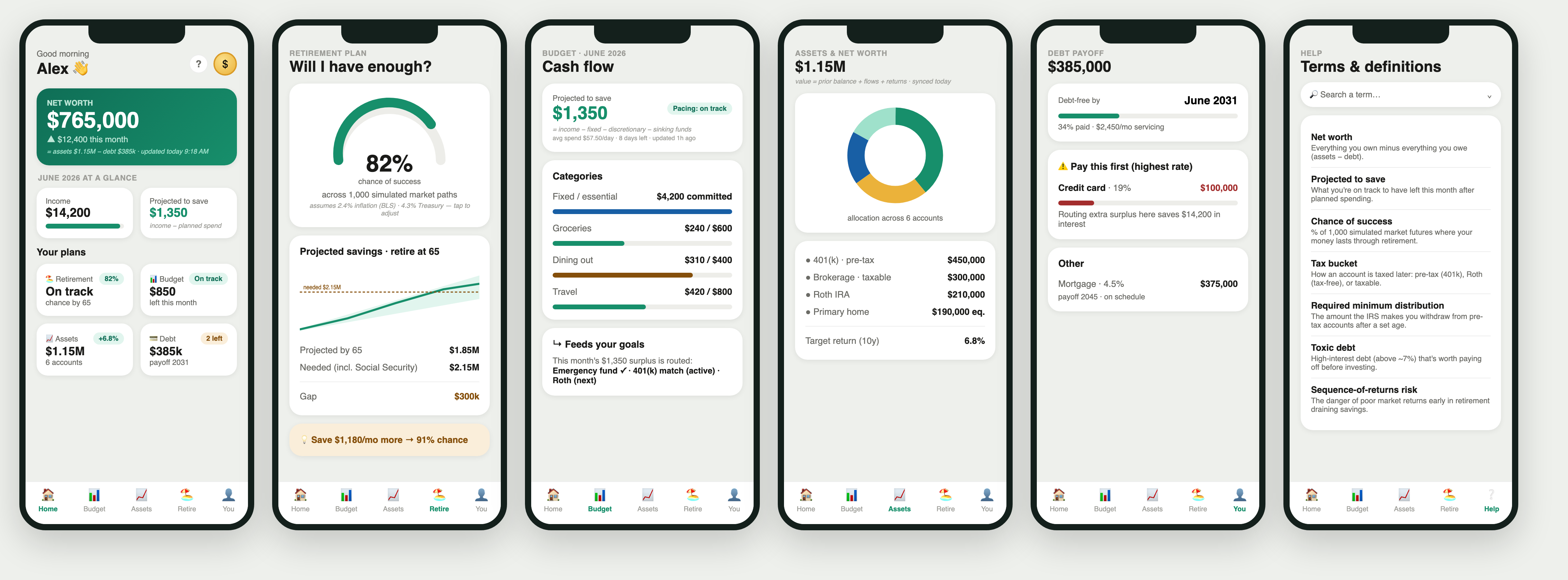
One phone at a time. Use the arrows to change screens; scroll inside the image for more.
Think through important questions before making decisions. Explore savings, retirement timing, income, and market scenarios—without pretending to know the future.
Retirement projections are estimates, not guarantees.
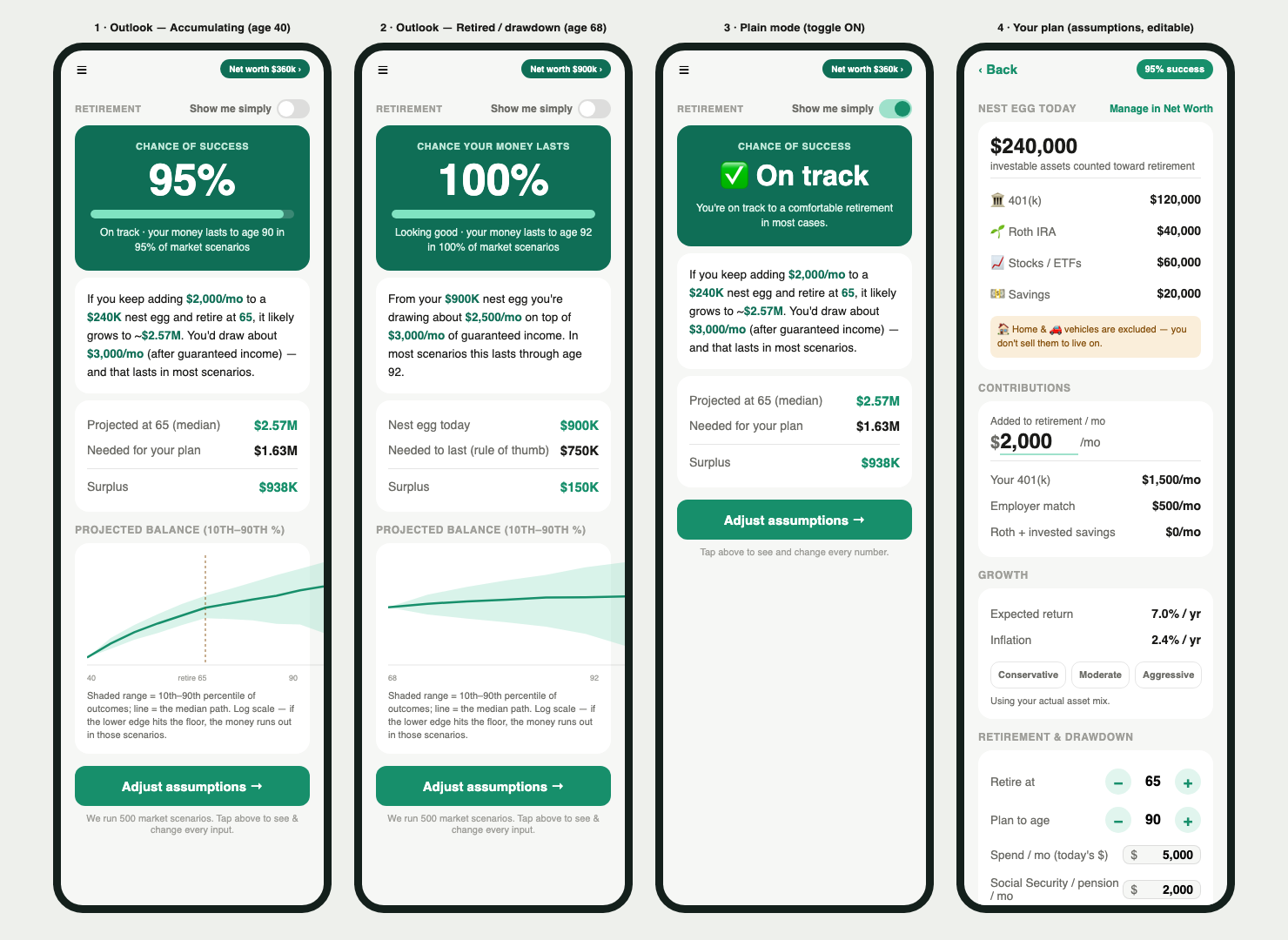
One phone at a time. Use the arrows to change screens; scroll inside the image for more.
Follow these illustrative journeys to see how the same app can help people at different points in life. Alex and Maria are fictional examples.
These are example workflows, not personalized financial advice or a promise that a particular result will occur. Some detailed retiree planning flows remain under development.
Explore the individual tools across your accounts, spending, investments, goals and retirement decisions. The full directory also identifies capabilities still evolving in beta.
Balances, assets, debts, emergency cash, account details, account history and source tracking.
Returns, dividends, interest, holdings, cost basis, benchmarks and wealth generated.
Income, planned spending, actual spending, bills, recurring items and debt decisions.
Monthly retirement income, claiming-age scenarios, what-ifs and simulations.
Savings targets, emergency reserves, retirement age, annual contributions and future goals.
Transparent math, unknown-data labels, encrypted information and device safeguards.
Feature availability varies during the private beta; a listing is not a guarantee of current access.
You should never have to wonder whether a number is a fact, an estimate, or missing altogether.
Understand the inputs and calculations that lead to a result.
Missing data should be identified clearly—not treated as a fabricated number.
Explore financial choices calmly, with transparent assumptions.
Enter financial figures and accounts. The beta supports manual input and selected imports; automatic bank linking isn't being advertised as available.
See net worth, cash flow and investment details in one connected experience.
Try retirement assumptions and understand the uncertainty behind projections.
The iPhone app is being tested privately. Email us to request an invitation. Invitations are subject to availability; this is not an automatic registration.
Reach the right team directly. Select an address to choose Gmail, your email app, or copy the address.
Ask about testing the iPhone app.
beta@moneykeel.ai →Share questions, product ideas, or recommendations.
jain@moneykeel.ai →Need help or have a problem to report?
support@moneykeel.ai →For general questions: hello@moneykeel.ai.
For privacy questions: privacy@moneykeel.ai.
The iPhone app is in private TestFlight beta. You can request access by emailing beta@moneykeel.ai; invitations are not automatic.
Manual entry and some imports are part of the documented app. Automatic bank linking is not confirmed as available in this beta, so we don't promise it here.
It provides information and planning estimates, not personalized investment, tax, or legal advice.
No. The website images are product design mockups containing example data, not a real customer's financial information.
Select how you'd like to write to aMoneyKeel.
If clicking a mail link does nothing, try Open Gmail or Copy address.